INPUT PROMPTS
Summary
Input Prompts is a free, public-domain game controller button icon pack, designed and built entirely in Figma. I released v1.0 in March 2024 and a major overhaul, v2.0, in September 2026. It's my first passion project to go from initial idea to public release, and I was its sole designer, builder, and maintainer. v2.0 adds three new platforms (Nintendo Switch / 2, Wii / Wii U), a generic set, optically balanced icons for more consistent visuals, and a modular component system that lets developers customize and extend the set. v1.0 has over 1,100 downloads on itch.io, with about one in three visitors downloading it.
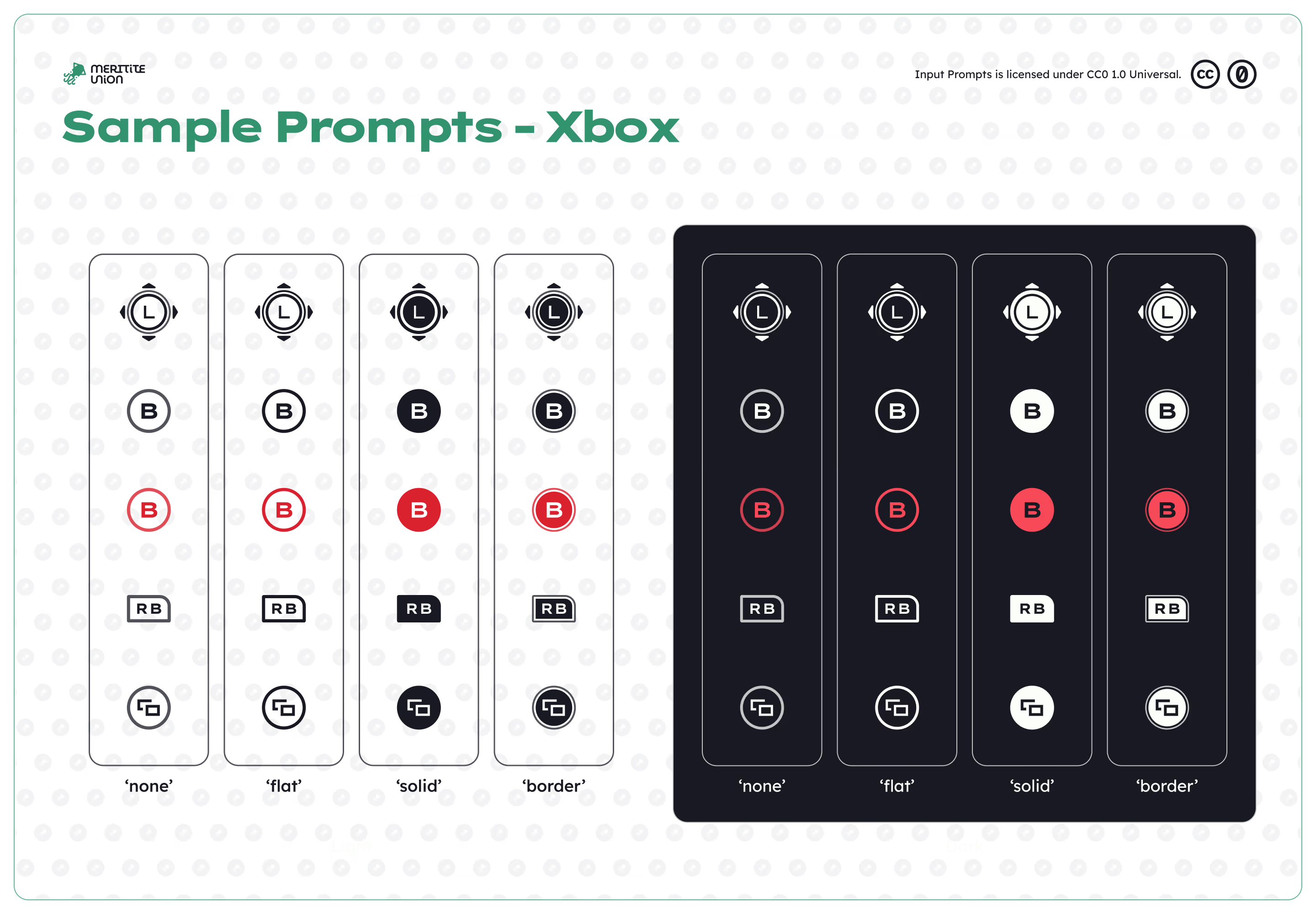
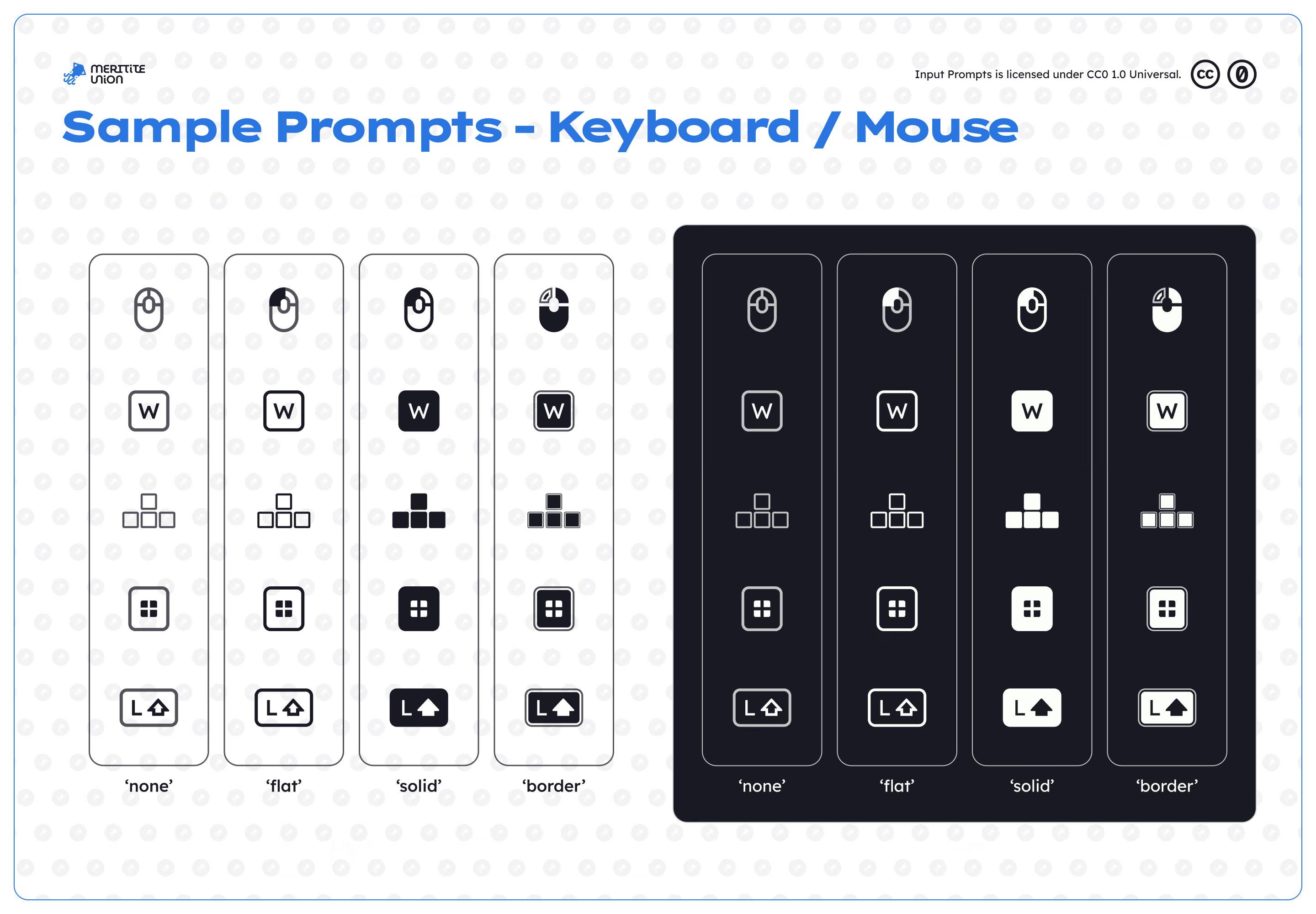
Case study
Introduction
Think about the last video game you played on a console. You probably saw something like this without thinking about it:
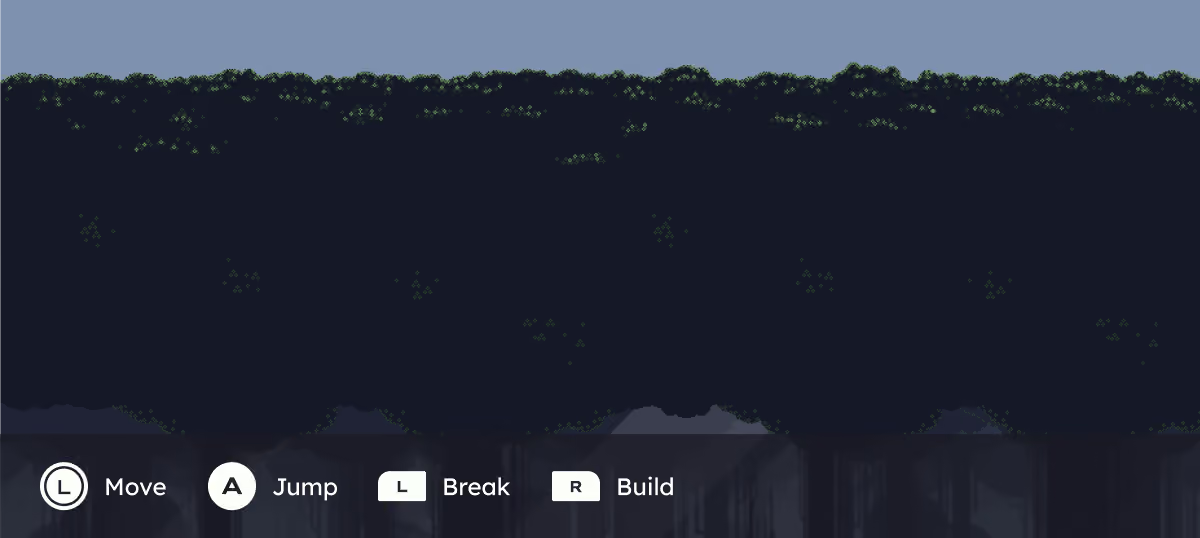
These symbols at the bottom are called Input Prompts. Rather than act as clickable buttons, these prompts are digital abstract representations of physical buttons on a controller. Developers include these icons for 2 main reasons:
- Button layouts vary widely from game to game and platform to platform. Providing prompts can reorient players to a new experience.
- Affordances in video games are very dynamic: showing prompts shows what the player can do. If an item has a cooldown, greying the on-screen prompt often is the only way that information is conveyed to the player.
However, where do the icons themselves, the shape and layout, come from? First-party and large AAA developers often have their own internal prompt sets, but with independent game developers, sourcing these prompts isn't as simple. Asset packs exist, but they may be paid resources, require extensive attribution, or simply not fit the desired aesthetic of their game.
This was in my junior year of high school, when I still had hopes and dreams of being a game developer myself, I was looking for my own icons to use in some small prototype of my own. So, I sought out to make my own! This version would be completely free, in the public domain, requiring no attribution, and fit a versatile modern, flat look that could belong in a wide range of game styles.
January 2024 - Initial drafts
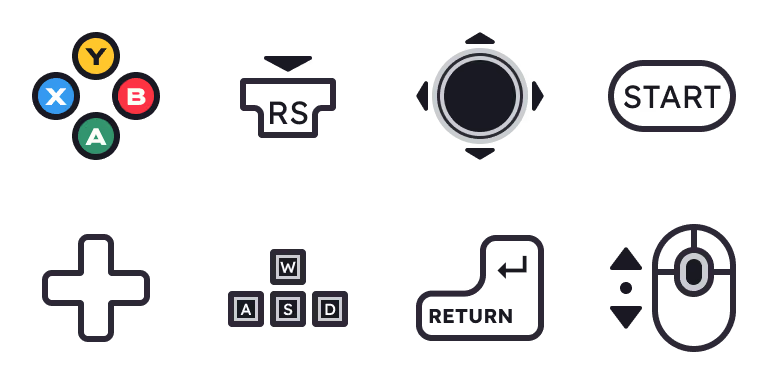
Early designs from v1.0.
How did I get started? At the time, the only vector software I knew was Figma. Yes, that Figma, for that weird UX thing I kept hearing about. I'd be coming back to it a lot. Without experience, knowledge, or just about anything, I just started drawing!
Back then, I didn't think about what developers needed or higher-level visual design decisions. That being said, I maintained some clear parameters:
- Prompts in this version kept within a strict 128px bounding box.
- Basic text styling and set color variables
- An organized file structure gave every prompt a self-descriptive file path based on platform, theme, fill, and button type
After hundreds of hours of copy and paste, I had designed about 1,000 prompts including variants for Xbox, PlayStation, and PC. Maybe it was ready to publish? I'd find out.
March 2024 - Published...forgotten
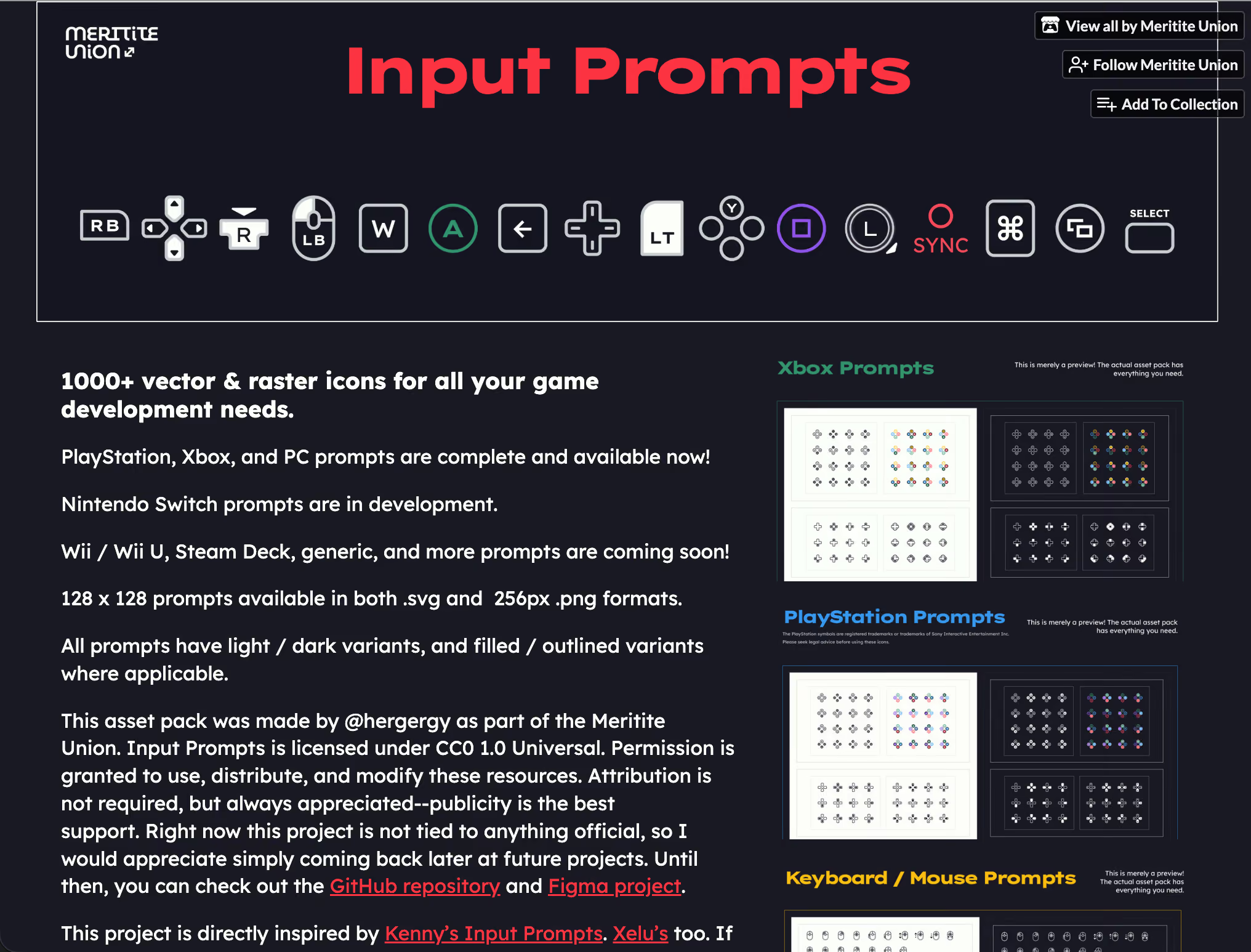
itch.io published site.
Archived April 2, 2024
Ready to put something out into the world, I was excited to publish my icon set on itch.io, an online marketplace for indie game developers and players, a GitHub repository with documentation, and the original design file on Figma Community.
Fully expecting my work to be quickly buried under the hundreds of projects published to itch daily, I was pleasantly surprised to see my project see real use!
As the months went by, the views and downloads accumulated: slowly, but steadily. Eventually, reviews and comments started coming in:
Lots of variety.
Some of the nicest icons on itch!
Hey! I made a small game project with some of your icons. Thanks for the awesome work!
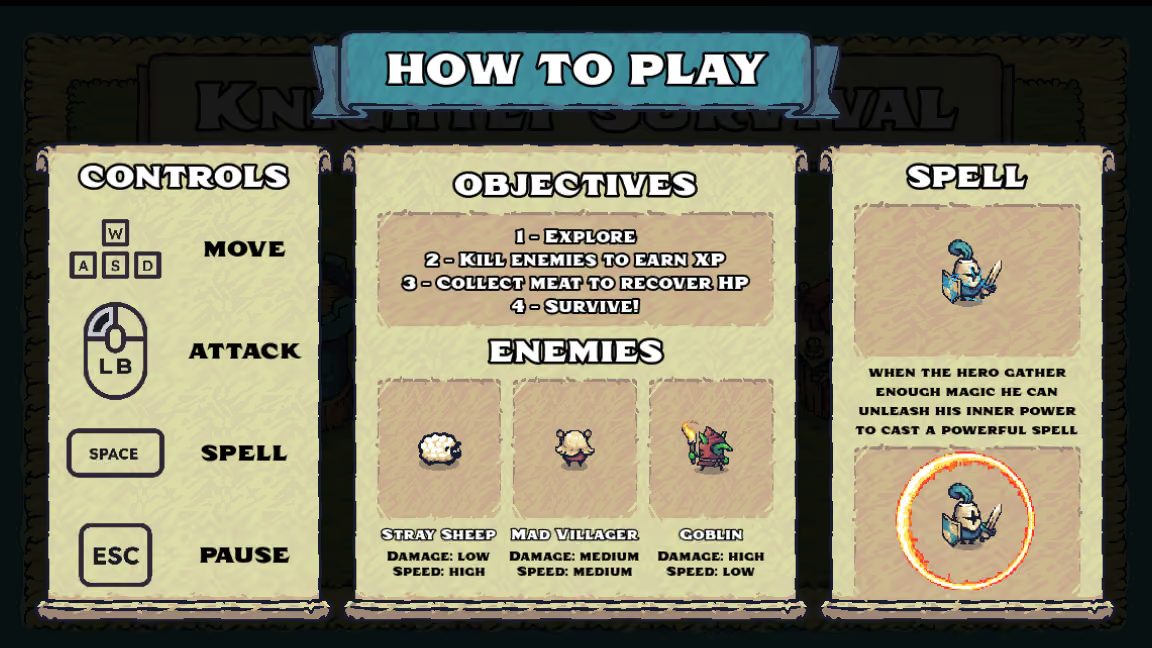
The Glitch Crafter's
Knightly Survival.
Wait, really? Somebody used my project in an actual game? 16-year-old me was more than excited. I had to check it out.
Come to find out, these icons in practice didn't live up to my expectations. With absolutely no criticism dedicated to the developer, Input Prompts in this state had no place in production.
The biggest problems weren't obvious while I was designing individual icons. They became apparent when the system was viewed in practice and as a whole. Input Prompts needed a complete rebuild.
But with time, other priorities took place. There wasn't a motive to revise, especially considering the non-modular nature of this first version made making small changes difficult. Input Prompts was something I stayed proud of, but not something I was working on.
February 2026 - Looking back, starting again
My first version completed its purpose. But at some point, I knew it wasn't finished. That's when I decided to start over and make something better. This time, with a semester of university design work behind me, I made sure I would take it from a designer's approach, not sudden intuition. I began by identifying places of fault and what to do for this new version:
| Problem with v1.0 | How it impacted usability | Ways to fix |
|---|---|---|
| Optical alignment | Geometrically aligned icons made each icon uneven from the next, reducing cohesion | Carefully size each base shape size ahead of time; adjust font weights for light/dark backgrounds |
| Available platforms | Simply not enough platforms supported to be useful to developers | Adapt existing icons to new platforms |
| Contrast and transparency | Opaque icons and tough-to-read contrast hurts usability and accessibility. Players shouldn't have to squint to know what button to press. | Start with better contrasting colors and borders; utilize vector boolean functions rather than defined color whitespace |
| Customization | If developers want to extend the icon set, there are no resources or documentation. Every icon is a raw vector. | Make every component a component—layered nested variants, creating opportunities to extend the set to support any symbol |
Now, to fix everything! I tackled how to handle these issues one by one, then put them into practice:
Component system
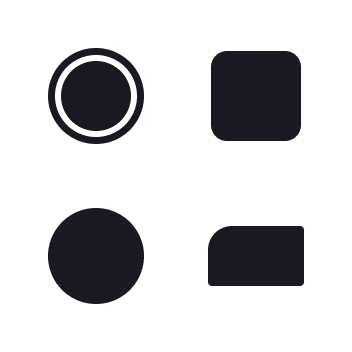
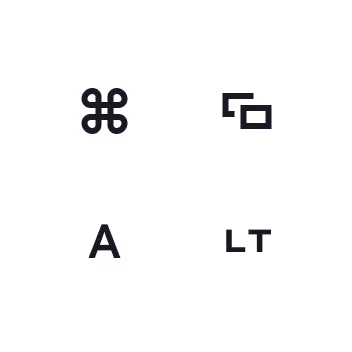
Example 'shape' and
'label' components.
One of the biggest issues with v1.0 was that every prompt was its own vector shape. If a change needed to be made, it had to be manually done over hundreds, of individual frames. This became especially apparent even while v1.0 was in production—if making a change was tedious for me, it would be even less practical for developers trying to extend the set themselves.
At the core of v2.0's redesign was building every prompt from nested components. I made each prompt based on a unified nested structure—enhancing modularity and customizability. I separated each prompt into reusable shape and label components, allowing the same building blocks to be recombined across platforms and button types.
Now, when developers wish to create their own symbols, they can easily do so in Figma by dragging and dropping components.
—And when sweeping changes are needed, like sharp corners—one change applies instantly to hundreds of icons.
Optical adjustments
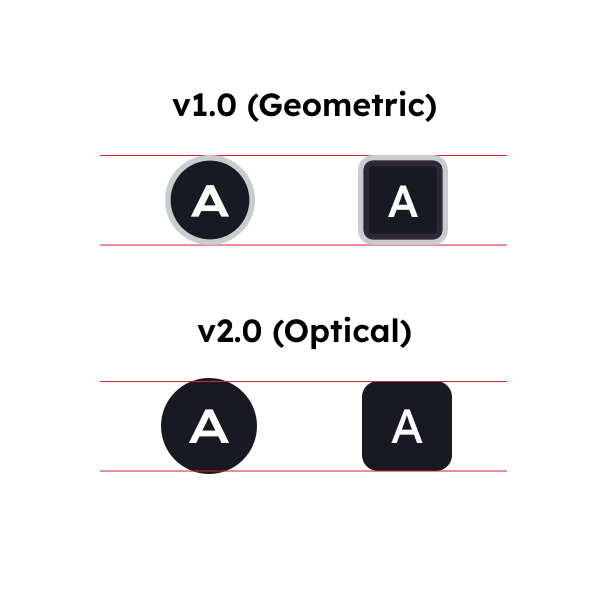
The next major issue to tackle for this updated design was optical adjustments. Visual inconsistencies add up and make a less seamless, polished product. I made two sweeping changes to the set which sought to fix this: optical alignment and optical weighting. Alignment means rounder shapes are made slightly larger than square ones, pushing their boundaries slightly past the baseline. While up close this may make the prompts uneven, it helps to compensate for lost area in cut corners, giving each symbol shape equal visual weight.
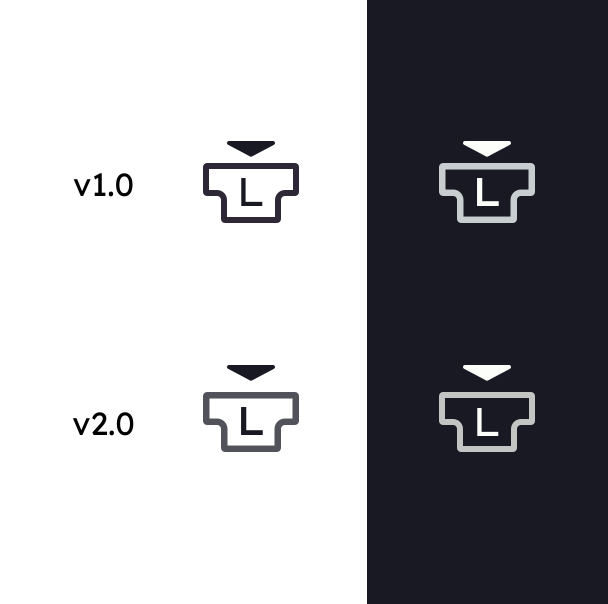
Similarly, stroke weight between light and dark icons was adjusted. Light on dark backgrounds has a tendency to bleed further out in our human perception, making lines of equal weight appear wider on dark than on light.
These changes help symbols feel like they belong together as a set, not just as their own symbols.
Improved transparency
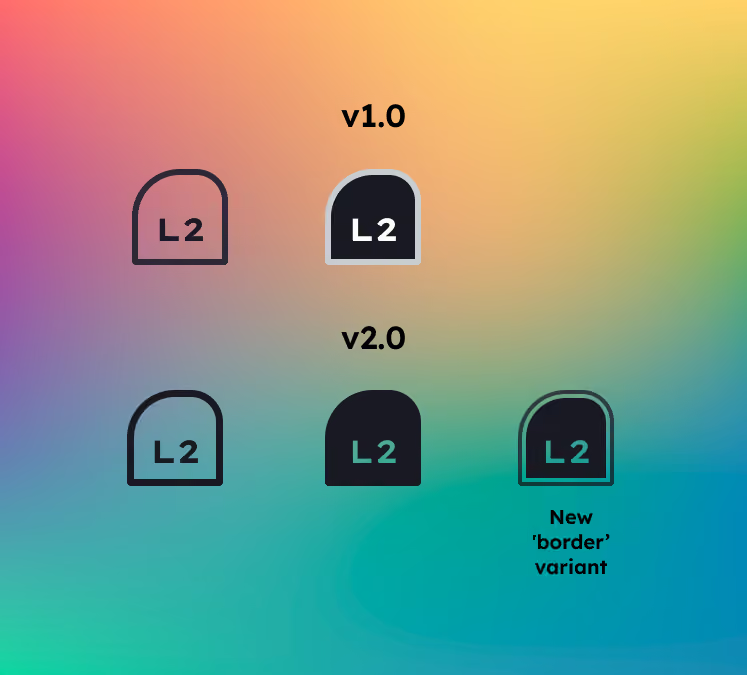
The new prompts work in front of any background.
Finally, I redesigned every prompt's contrast and transparency, with two things in mind: usability and accessibility.
For v1.0, 'cut-out' strokes were made by simply filling in the background color. This approach wasn't noticable on a Figma canvas. But as soon as Input Prompts is put to practice, the incompatibility with the background is immediately obvious. Additionally, filled icons were difficult to see, especially with the light-gray-on-white borders, decreasing usability and certainly accessibility compliance.
For v2.0, I took a new approach. First, these harsh gray borders were to go. Rather, to maintain an accented version, I elected to have an alternate 'border' variant, this time using a double stroke rather than subtle colors. Second, every inner layer is cut out with a proper vector boolean subtract function—effectively making Input Prompts usable against any color background.
September 2026 - Finished!
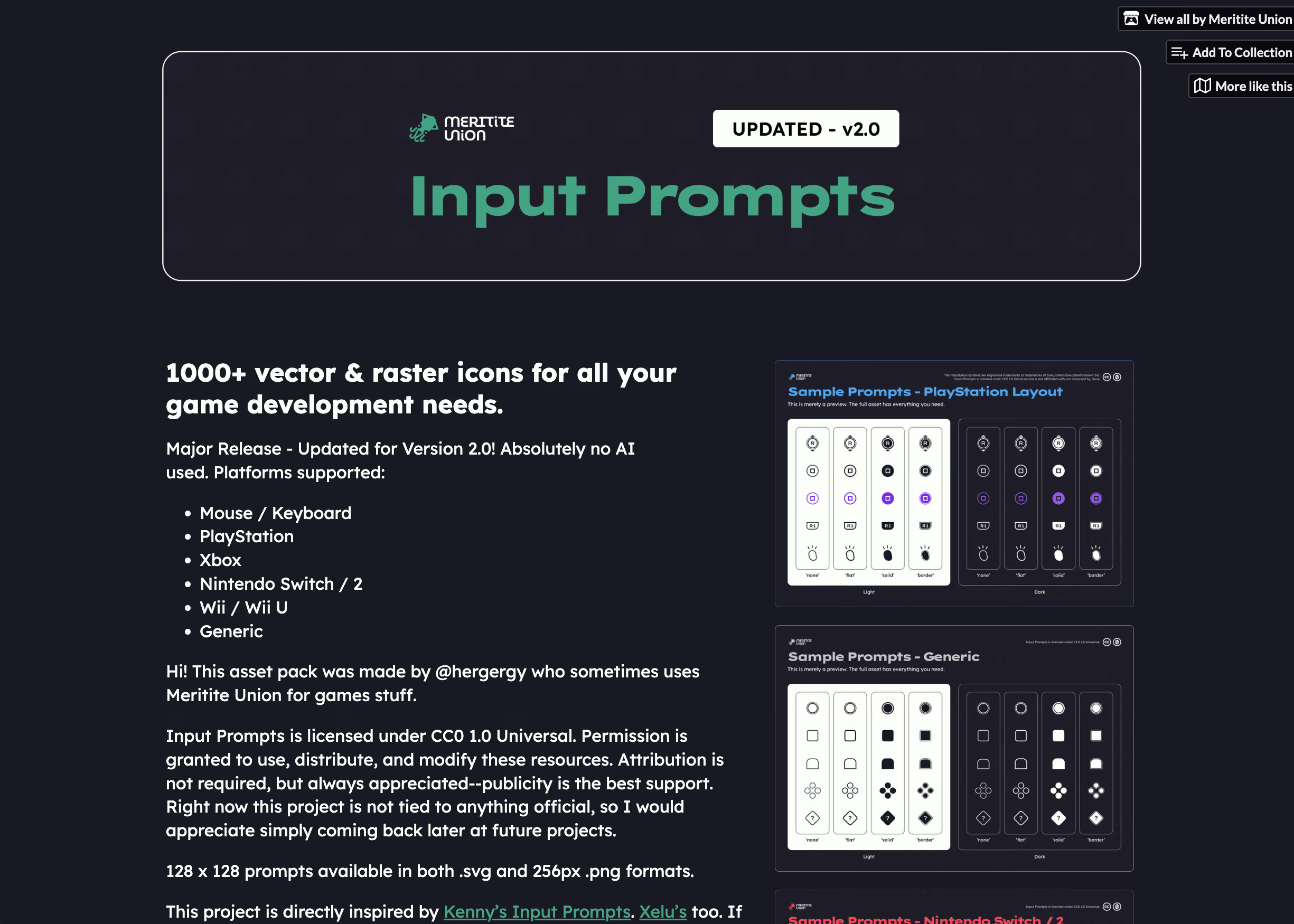
After making these design decisions, I spent my free time implementing these changes. In addition, I expanded supported platforms to include Nintendo Switch / Switch 2, and Wii / Wii U, as well as a basic generic set for unlabeled buttons. I also took great effort in ensuring my new version was well documented, because there is no point in releasing something new if developers have no sense of what changed or how to use the new system.
With that, v2.0 was ready for release! I made detailed marketing assets and a changelog to make the transition for developers, new and returning, easier. I'm excited to see what developers do with my new icons!
Conclusion
This project was the perfect early introduction for me in the world of design. As I gained new skills, I went back to this project and applied them, like modular component systems, effective color contrast, and user documentation. I'm proud of how far it's come so far, and I can't wait to hear from developers what they think. Their feedback was central to this redesign and it got me thinking beyond the canvas and into the real world.


